
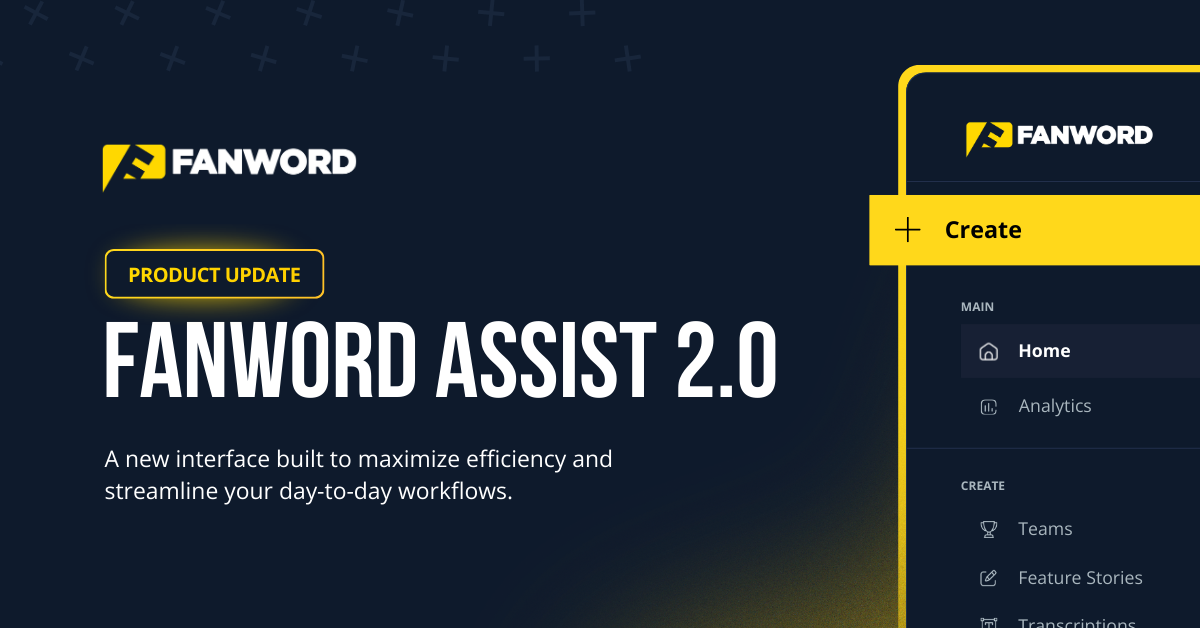
Our new user interface makes your most essential tasks even easier to complete.
March 12, 2026
At FanWord, usability is not an afterthought.
Since day one, ease of use has been one of our highest priorities.
We believe great software should feel simple, powerful, and like an extension of your own team — regardless of whether you’re a one-person shop at a small college or a full department at a P4 program.
The last thing you need is a platform that makes you work harder.
One of the most common things we hear from our partners is how approachable the platform feels. That’s not an accident. It’s something we’ve worked at deliberately, from the way we structure workflows to the language we use inside the product.
And that’s exactly what drove our latest update.
Our goal is always to create something that feels easy to use, so today we’re rolling out a redesigned experience with FanWord Assist 2.0 — built to give you high consistency, less friction, and time back in your day.
What’s New
One button. Every action.
The most visible change is the new Create button, now anchored at the top of the left-side navigation bar.
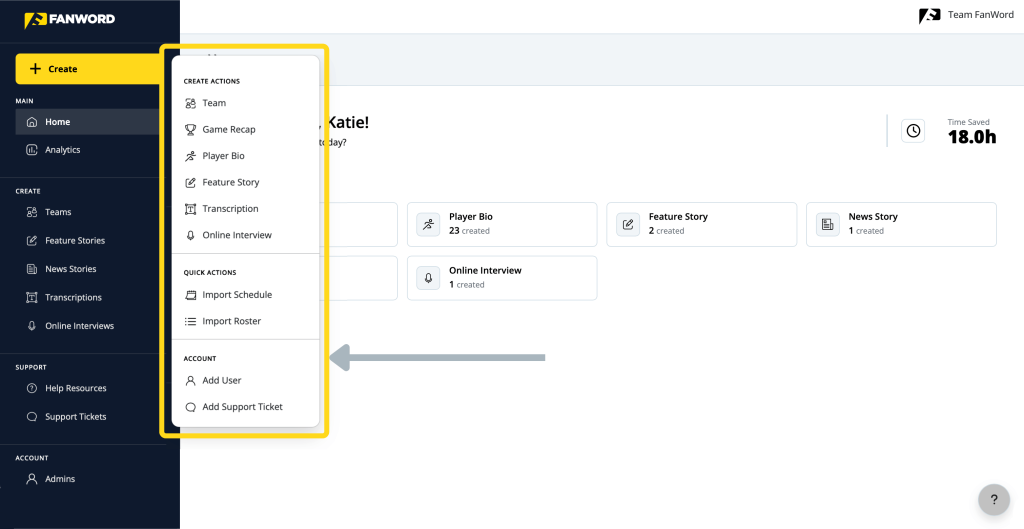
Click it once and you’ll see a clean menu with every creation action available in FanWord Assist:
- Team
- Game Recap
- Player Bio
- Feature Story
- Transcription
- Online Interview
Along with quick actions for importing your schedule and roster — and account-level options to add users or submit a support ticket.
No extra clicks. No hunting. Just open and go.
A cleaner left-side menu.
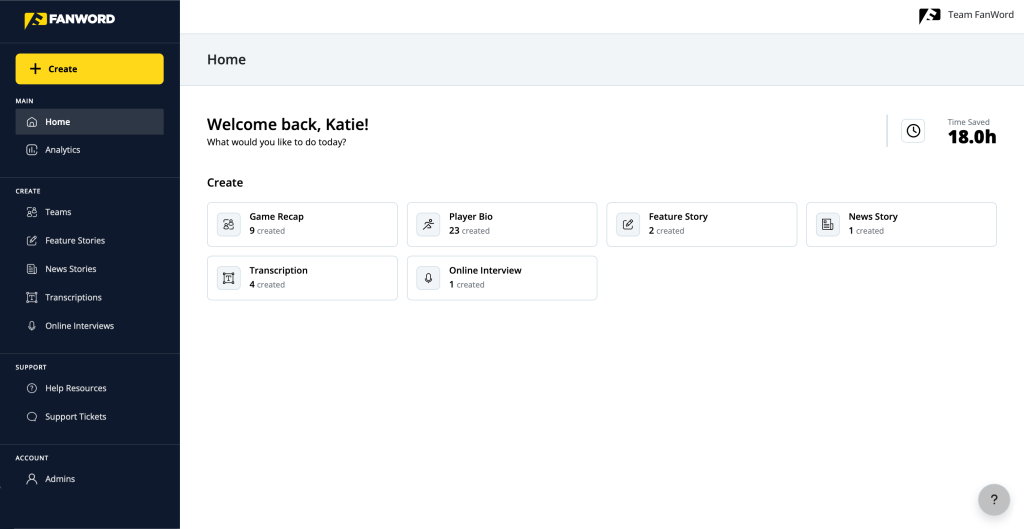
The full navigation menu has also been redesigned to be easier to scan at a glance. Your main sections are front and center, with content creation tools grouped neatly underneath. Support and account management live at the bottom where you’d expect them.
All sections now feature iconography to make scanning for what you need easier. The goal was simply to make the most common actions feel immediate and get everything else out of your way.
Consistent by design.
We’ve also introduced a more consistent visual design language across the entire platform.
We rebuilt our action buttons and interactive components so that similar actions always look and behave the same way. Primary actions are clear. Secondary actions don’t compete for your attention. Color hierarchy guides you toward what to do next without you having to think about it.
A better experience for every user.
UI 2.0 also includes meaningful improvements to accessibility across the platform.
We audited our visual design with accessibility standards in mind and made targeted updates to text contrast, color usage, and readability. FanWord Assist is now a better experience for all users, across all environments and display conditions.
This was important to us. The people who use FanWord Assist are working in all kinds of conditions, like team buses, press boxes, and their perfect dual-monitor setup back at the office. The platform should be easy to read and navigate in all of them.
A few naming changes.
We’ve also shifted how we refer to certain features within the platform. Those changes are:
- Interview Templates are now Online Interviews
- Articles are now News Stories
- Stories are now Feature Stories
Usability Gives You Time Back
FanWord Assist is designed to handle the volume of content that sports information departments produce. But a tool is only as fast as the workflow around it.
The new UI is built around the way you actually work — starting a recap late at night after a game, queuing up an interview for an athlete amidst their busy schedule, or creating some bios when you have a moment.
That’s especially true on gameday, during crossover season, or when your staff is covering a long list of sports and responsibilities. In those environments, every click matters. Every shortcut matters. Every minute matters.
UI 2.0 was built with that reality in mind. In short: less hunting, more doing.
Most importantly, your key workflows will still feel familiar—so you can keep working without reinventing your process
What’s Next — And Where You Come In
This update is the next step in an ongoing effort to make FanWord Assist feel like it was built specifically for you. Because it was.
We believe the best product improvements come from the people using FanWord every day.
Wish you had a shortcut? Shoot us a note.
As a partnership-driven company, we take feedback seriously.
Our job is not just to add features. It’s to make sure the platform feels intuitive for you.
So, don’t hesitate to reach out if there is anything we can do to help.
Available Now
The new UI is now live inside FanWord Assist.
Log in to FanWord Assist to explore the updated navigation and see how UI 2.0 helps you move faster through the work that matters most. If you have questions or want a quick walkthrough of the new look, schedule a call and we’ll take you through it.
