
Your Copilot For What’s Next in FanWord Assist
April 14, 2026
The busiest moments in a sports communications office are the exact moments you can least afford to lose track of where things stand.
We place a high priority on getting our partners to their core tasks quickly, so we watched you navigate the platform and thought, “let’s build a better way.”
Your usage patterns not only show us how we can help you zoom around our platform more quickly, but also how we can continue to help unlock efficiency and take more off your plate.
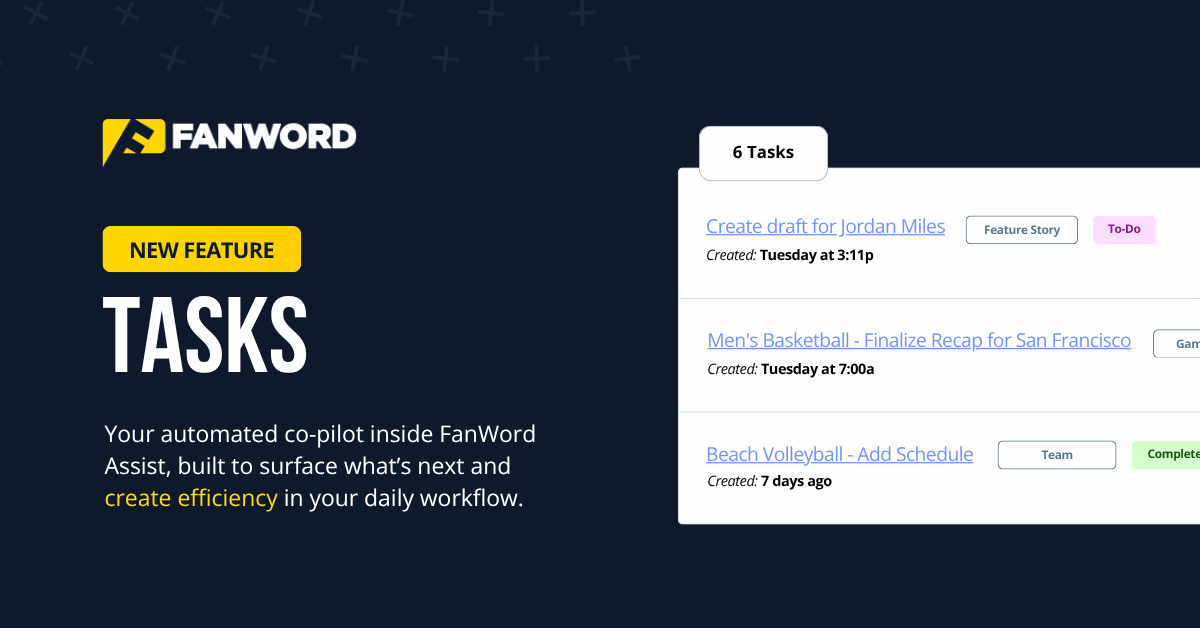
Introducing Tasks inside FanWord Assist.
Tasks surface your most important next actions automatically, so when you sit down to work, you know exactly where to start.
What Tasks Does
Tasks are automatically created in FanWord Assist and designed for a single, simple purpose — to help you manage your workflows more consistently. We know that things can get quite overwhelming sometimes; tasks are there to keep you on track.
Imagine receiving a response to one of your online interviews, but you forget to turn it into a story. Tasks reminds you of that.
Or imagine creating a recap, but forgetting to finalize it — so you don’t see the title and social media suggestions. Tasks makes sure you finish the recap workflow.
Or imagine setting up a team, but missing the roster import that could cause issues when creating a recap. Tasks guarantees you complete the entire team setup.
How Tasks Shift Your Process Forward
We built Tasks to create even more efficiency in your process.
Not sure where to pick up? Look at Tasks to see what needs to be done next. Even if you are sure what’s next, going straight to Tasks will save you a click or two.
It’s important to note that once you complete a task inside of FanWord Assist — like creating a game recap after the game — Tasks will automatically register that action and remove the task from your list. No checkboxing needed.
You can also dismiss unfinished tasks at any time to keep your Tasks inbox clean.
Available Inside FanWord Assist
Tasks is now live inside FanWord Assist.
If you’re already using Assist, open the homepage and see what’s waiting. You can find your tasks automatically on the home page, below the Create icons.
If you haven’t tried FanWord Assist yet, use the contact form below to schedule a demo with our team.
