
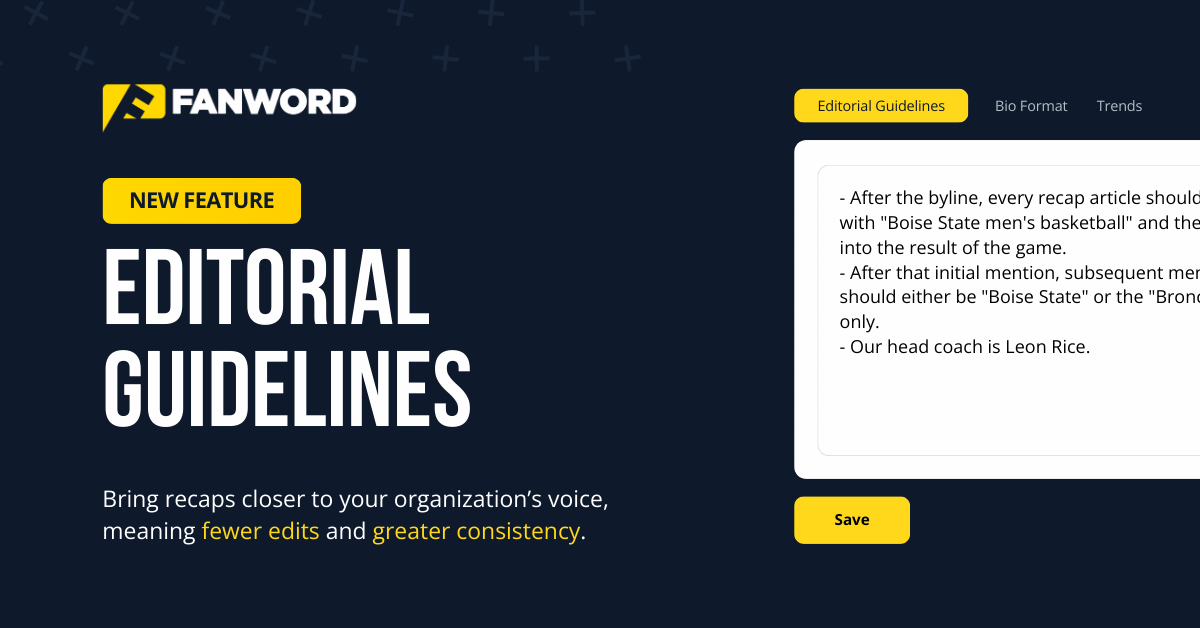
Introducing Editorial Guidelines in FanWord Assist
January 13, 2026
Every communications department has its own style.
Maybe it’s how your school is referenced or how you want to spell championships and awards. Perhaps it’s conference-wide formatting, historical naming conventions, or simply a quirk of campus tradition.
Whatever the case, college sports communicators have always had to make those edits manually inside of our software.
As you know, our goal is to get you 90% of the way there in 10% of the time. With Editorial Guidelines, we’re moving the needle closer to that goal.
Let’s take a deep dive: what they are, why they matter, and how to set them up so your recaps sound like they came directly from your desk.
📝 Editorial Guidelines – The Custom Tweaks You’ve Been Waiting For
Editorial Guidelines are now available across FanWord Assist and are ready for you to use at the organization or individual team level. Think of them as a living style sheet for Assist that lets you define custom naming or stylistic rules. They tell our tool things like:
- What you call your teams and venues (“Golden Bears” vs “GB’s,” “MSU Ice Arena” vs “home rink”).
- How you abbreviate sports (“MS/WS” vs. “MSOC/WSOC”).
- Whether you prefer a neutral institutional voice or something more fan-facing.
- How you talk about opponents (“No. 4 Minnesota Duluth” vs “the fourth-ranked Bulldogs”).
- Small but important choices (student-athletes vs athletes, overtime vs extra time, etc.).
Once you’ve set them, Assist uses your guidelines in a final “polish” step to bring recaps and other content closer to your organization’s voice, meaning fewer edits for you and greater consistency across the board.
🛠️ How to Turn On and Use Editorial Guidelines
Here’s the basic workflow:
1. Decide where you want the guidelines to live.
- Organization level: Apply the same guidelines across all teams.
- Team level: Give a specific team its own voice (e.g., Women’s Hockey vs. Men’s Basketball).
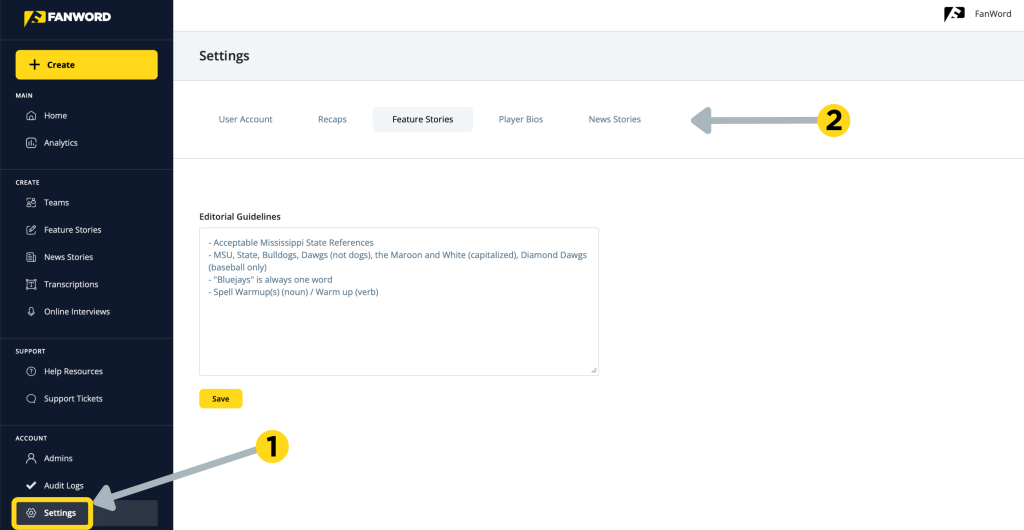
2. How to set guidelines at the organization level:
- Go to ‘Settings’ in your FanWord Assist portal.
- Add ‘Editorial Guidelines’ to one of three content types: Recaps, Feature Stories, and News Stories.
- Paste in your organization-wide instructions. If you have information that belongs in all areas, you’ll see a ‘re-use’ icon in the upper right corner — just click this to bring your instructions in from another content type.
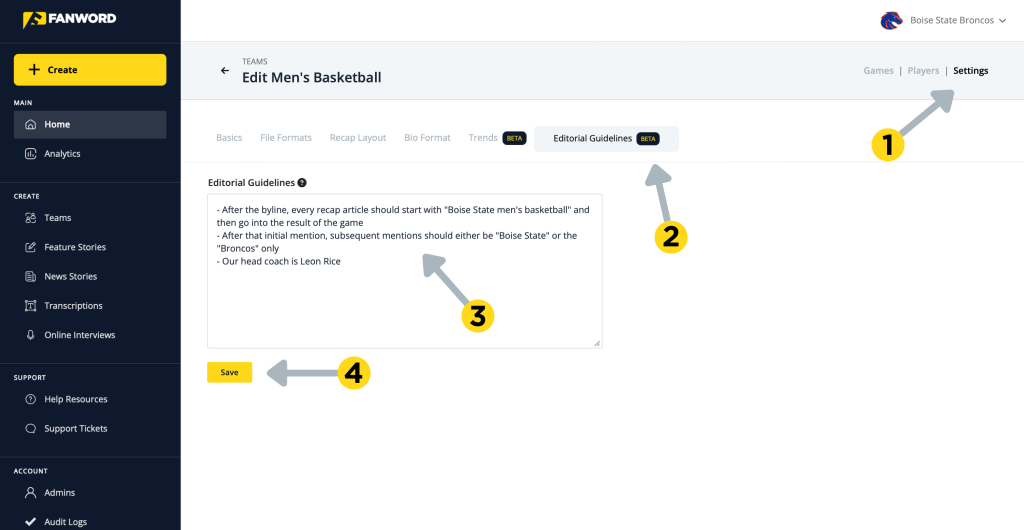
3. How to set guidelines at the team level:
- Click into a specific team in your portal.
- Go to ‘Settings’ → ‘Editorial Guidelines’ for that team.
- Add team-specific guidance.
🏆 Next Step: Generate a Game Recap
When you create your next game recap, Assist pulls in your game data as usual, creating a factually accurate draft based on the sport and game statistics. Then it applies your Editorial Guidelines to customize things like:
- Terminology and naming conventions.
- Word choice (e.g., “netted” vs “scored” vs “tallied”).
- Paragraph structure and flow.
When you proofread the draft of your game recap, keep these two questions in mind:
- Does it sound closer to how you’d actually write it?
- Is the terminology consistent with your website, game notes, and how you talk about your teams?
Our motivation for creating Editorial Guidelines is to give you flexibility to control the voice, tone, and structure—“how it sounds,” not “what happened.” This feature does not change scores, stats, records, or box-score facts. It also does not add new plays or events.
If you’re hesitant, you can always tweak these Editorial Guidelines over time. You can add clarifications as you notice patterns (e.g., “use ‘OT’ instead of ‘overtime’ in hockey recaps”) and remember to remove anything that isn’t truly important to keep the guidelines lean and clear.
If you ever remove your guidelines at either level, Assist will simply fall back to its default style.
We’ve tested this with 30–40 style rules at once. It’s fast, reliable, and designed for real SID workflows.
🧩 Pro Tips & Common Pitfalls
- Start small. One or two short paragraphs of guidelines are enough to make a visible difference. Overly long essays can confuse the AI or contradict themselves.
- Avoid conflicting rules. If you say “keep a neutral tone” and “use lots of exclamation marks,” Assist will do its best, but you may get weird middle-ground results.
- ‘Don’t use guidelines to “fix” stats. If you’re seeing stat issues, let us know—that’s something we want to work through with you at the data level.
🎉 Welcome to the Future of Recaps
The team at FanWord is always hard at work finding new ways to save time for every college sports communicator and their post-game process — and this is the next evolution. You can find Editorial Guidelines now live inside of FanWord Assist.
Not a partner? Want to learn more? Get in touch with us, using the contact form below.
